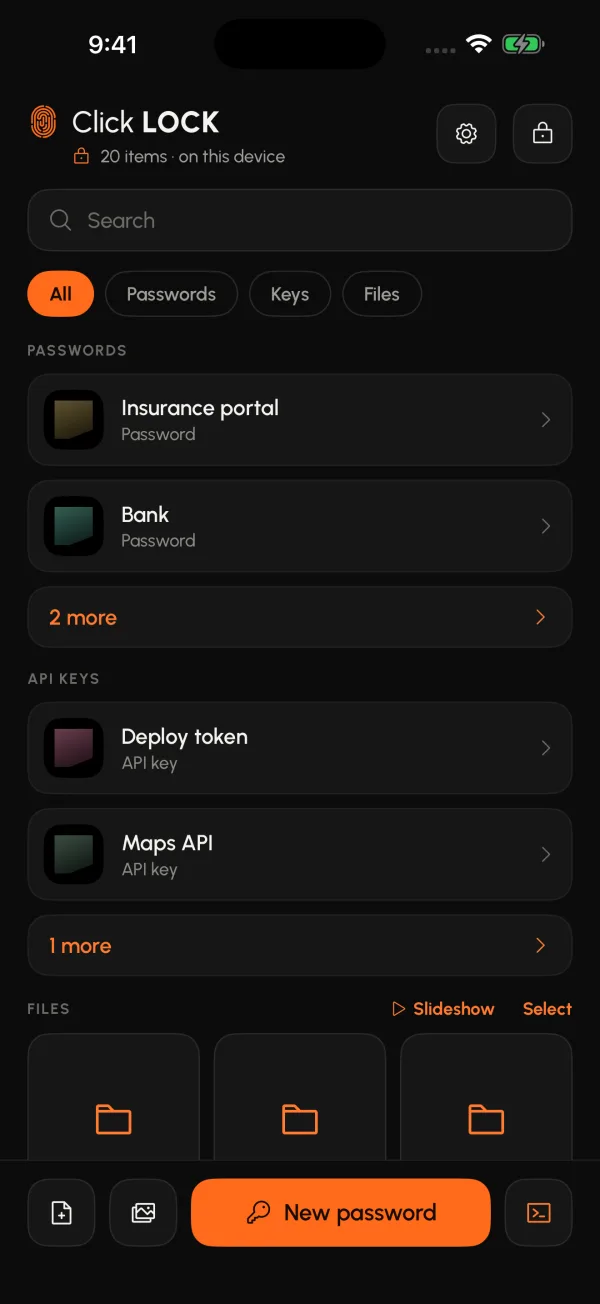
What it looks like
A vault, not a folder with a password on it.
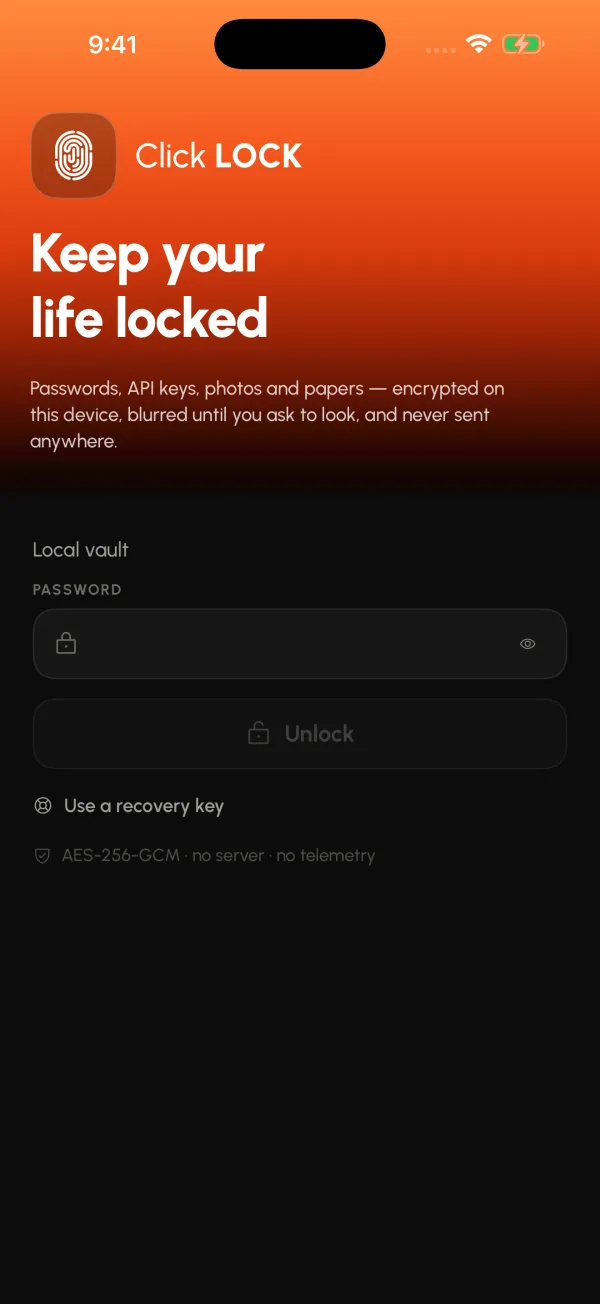
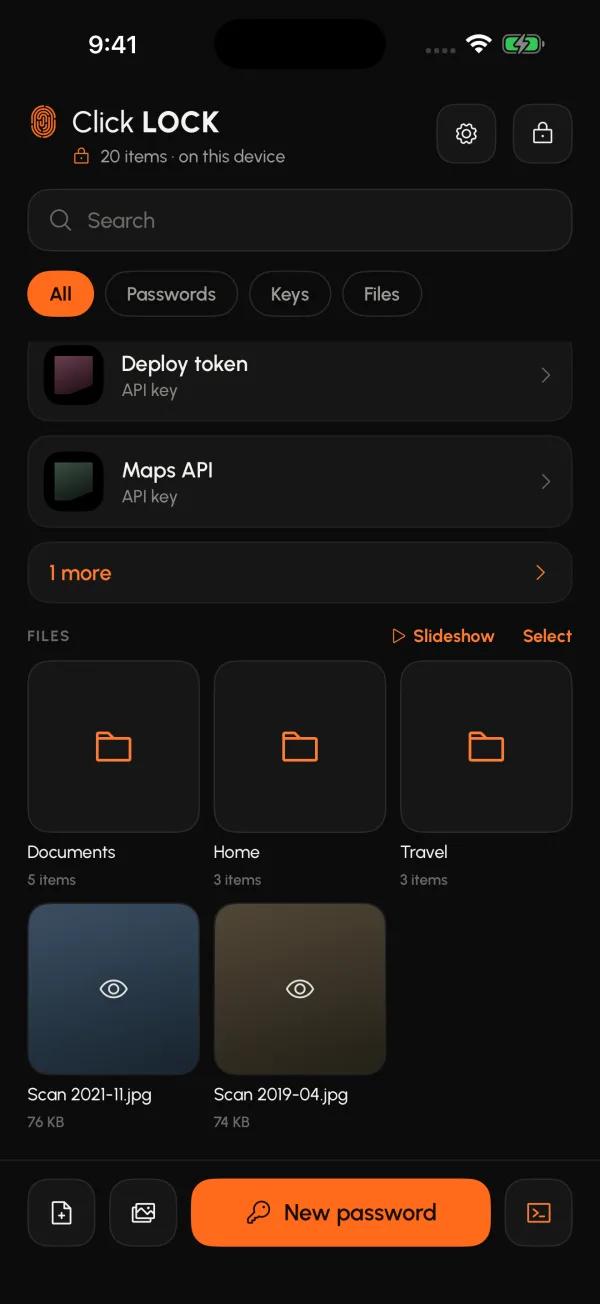
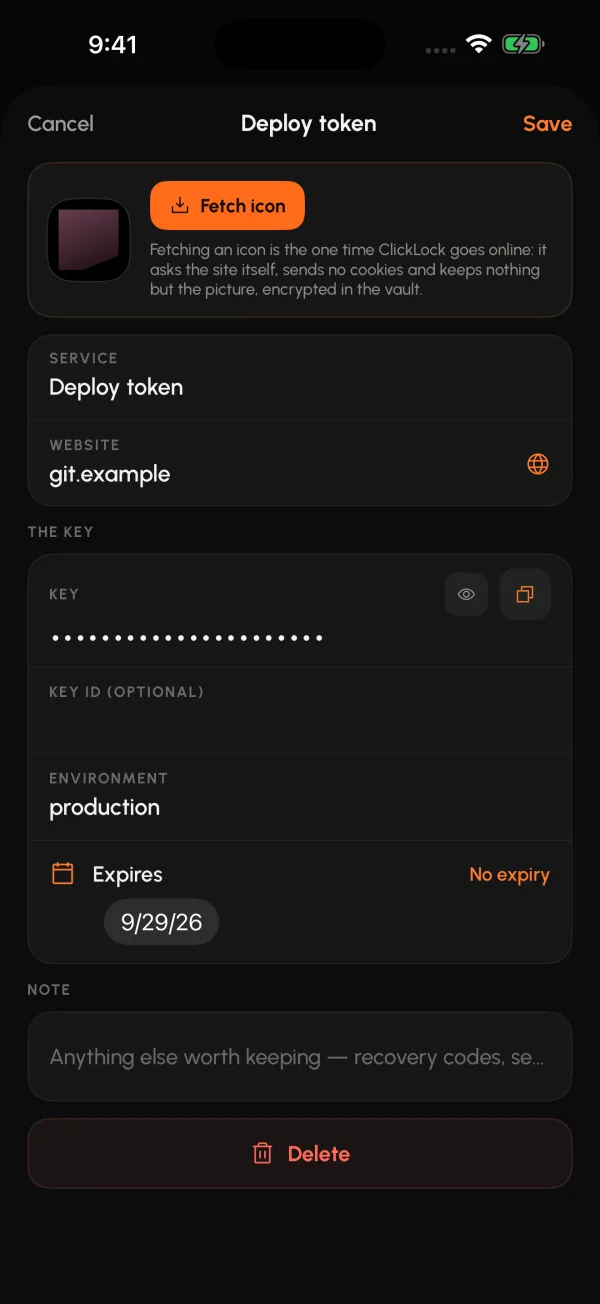
What goes in
Four kinds of thing, one lock over them.
A passport, a lease, a scan someone asked you to send, the router password, the API key nobody should paste into chat.
Photos and files
From the photo library, from Files and Finder, or dragged straight onto the Mac window.
Passwords
Name, user, password, site, note — and the site's icon fetched on your tap, never before.
API keys
A kind of their own: service, environment, value, and an expiry date the app watches for you.
Folders
A folder exists because items name it, and goes when the last one leaves. Nothing to tidy up.
An original is deleted only after the encrypted copy is written and read back. If anything fails in between, nothing has been touched.
How it locks
It assumes somebody is behind you.
- Face ID or Touch ID opens it, after the first time you type the password.
- It locks the moment it leaves the screen — and the app switcher sees a curtain, not your vault.
- Thumbnails stay blurred until you say you are looking.
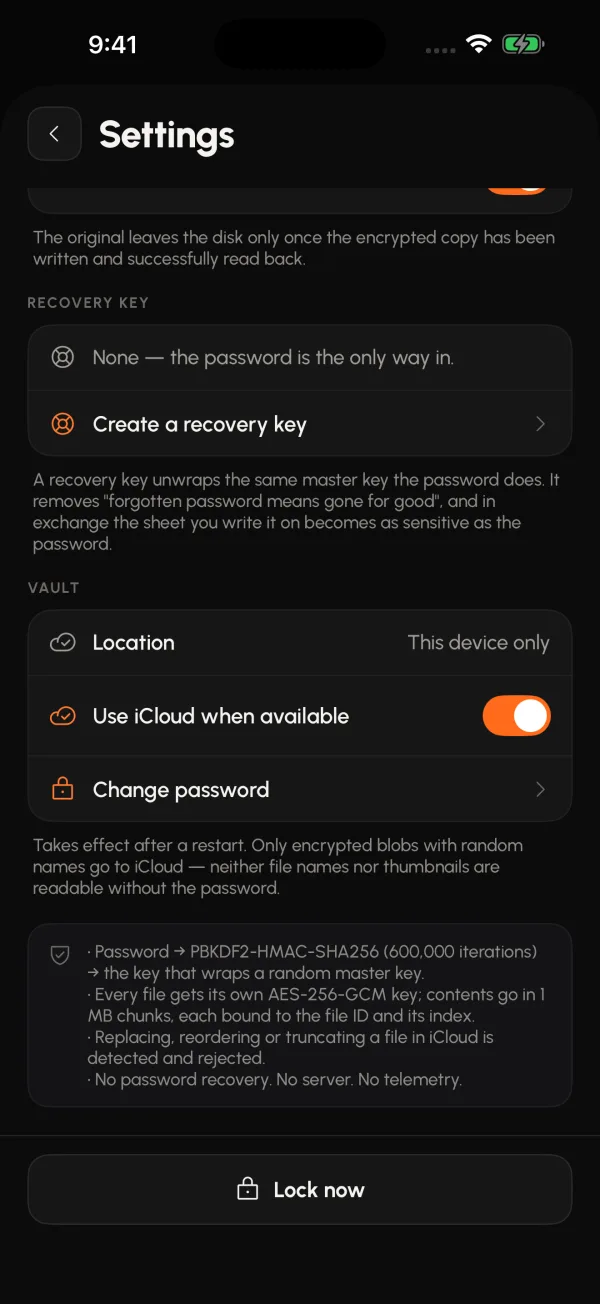
- Wrong guesses cost time. Three pause the vault for an hour, five for a day. Password and recovery key count separately.
- A recovery key — 32 characters, issued once, kept by you somewhere else — is the only second door.
The password is stored nowhere and cannot be recovered. Forget it and what is inside is gone. That is not a missing feature; it is the reason the vault is a vault.
iCloud, without the usual bargain
Your vault on your devices, and nowhere else.
Sync goes through your own iCloud Drive. What travels is ciphertext with random file names — Apple stores it, and it means nothing to anyone without your password.
- One person, several devices. No sharing, no team, no link to send.
- Without iCloud Drive it works exactly the same, on one device.
- Wrong-password counts stay on the device that earned them.
On the iPad and the Mac
The same vault, at the size of the screen it is on.
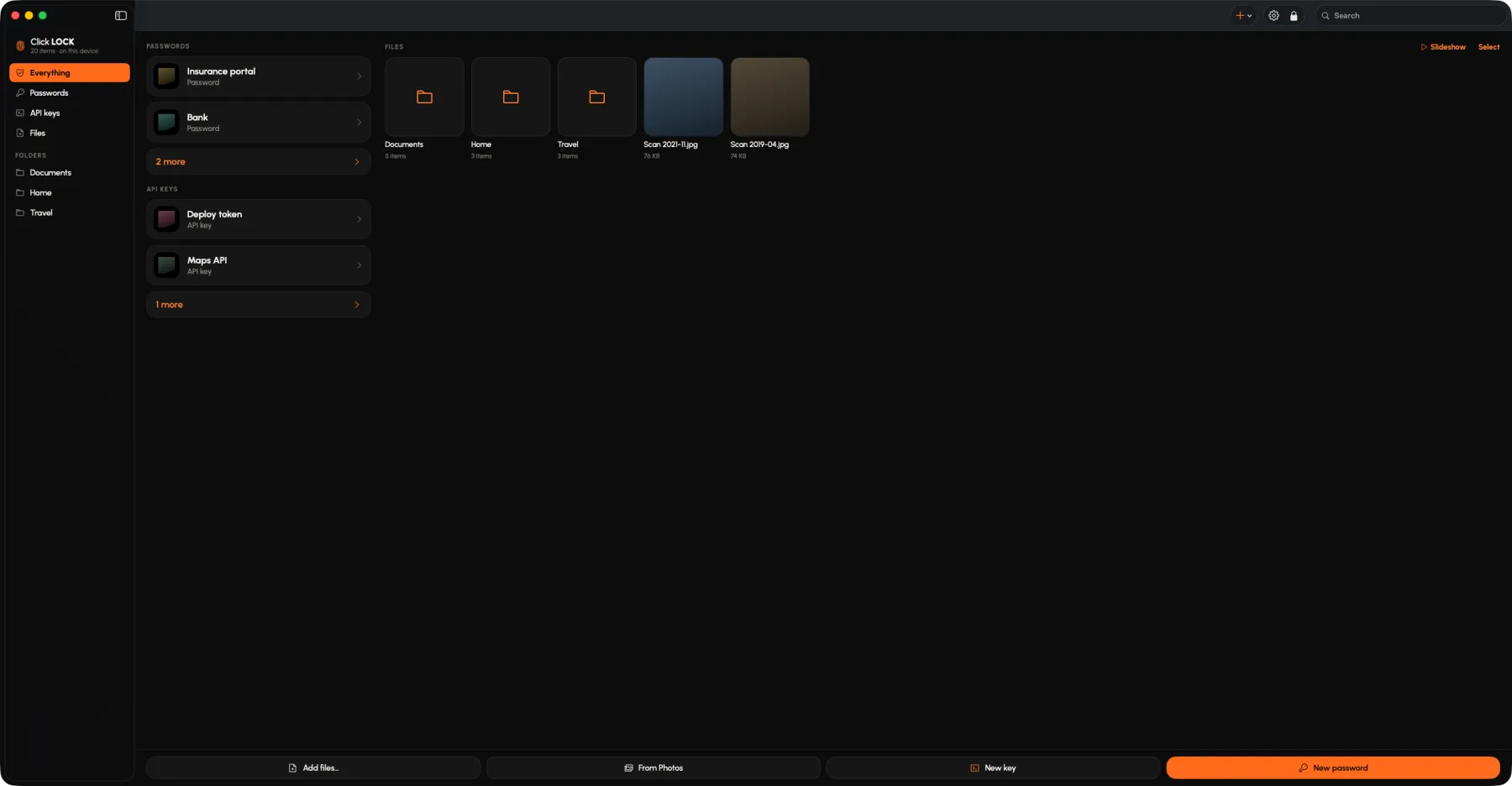
On a Mac it is a window that takes a drag and drop, with a menu bar panel beside it. One purchase covers the iPhone, the iPad and the Mac.
A window that takes a drop
Drag a file from anywhere on the Mac straight onto the window. That is the whole import.
A menu bar panel
Takes a quick entry and shows nothing from the vault while it does.
An iPad that reads
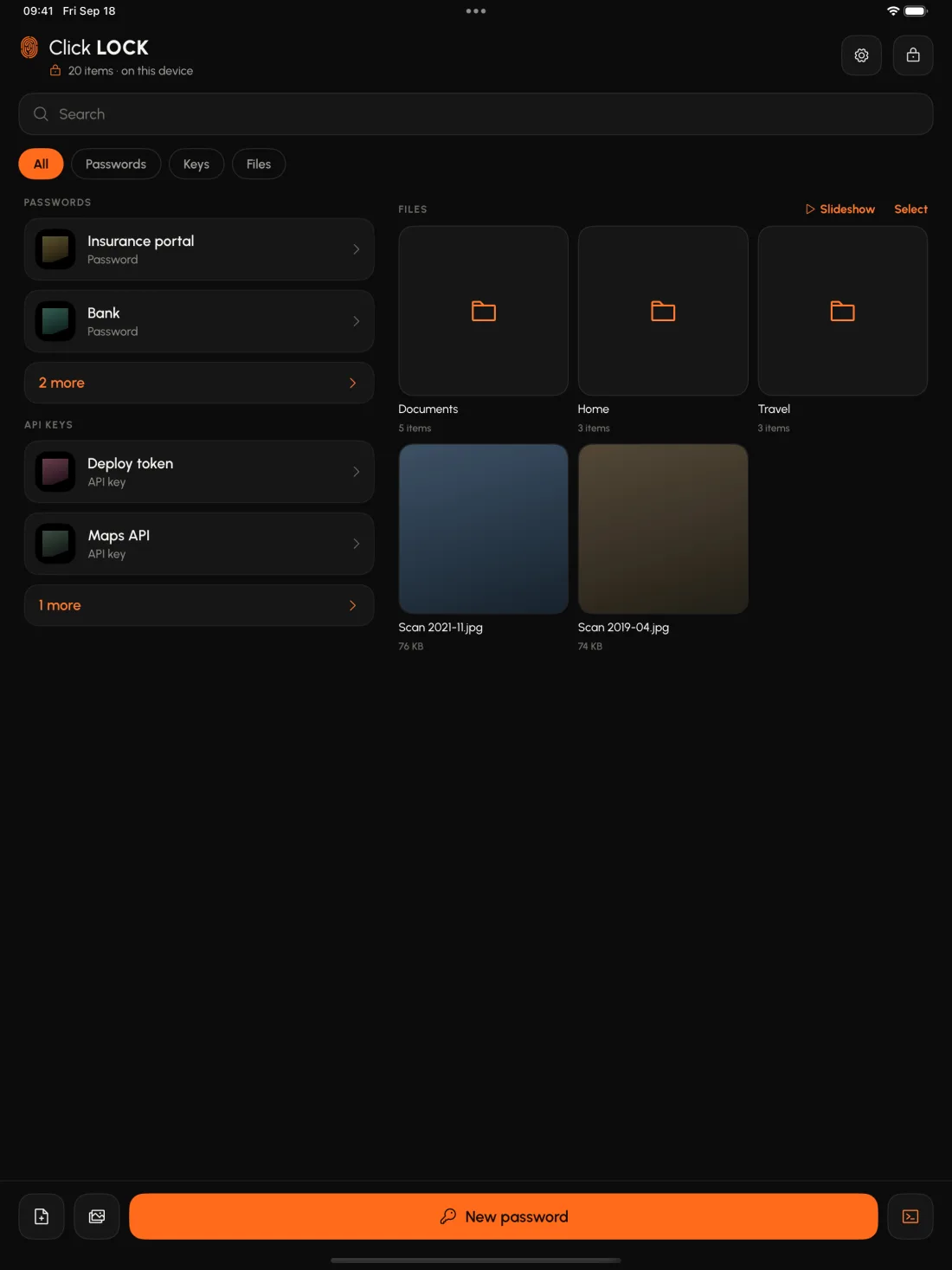
Entries run down one side, the pictures fill the other, and a document opens at the size it was written.
Free and Pro
Everything works free. Only the room is for sale.
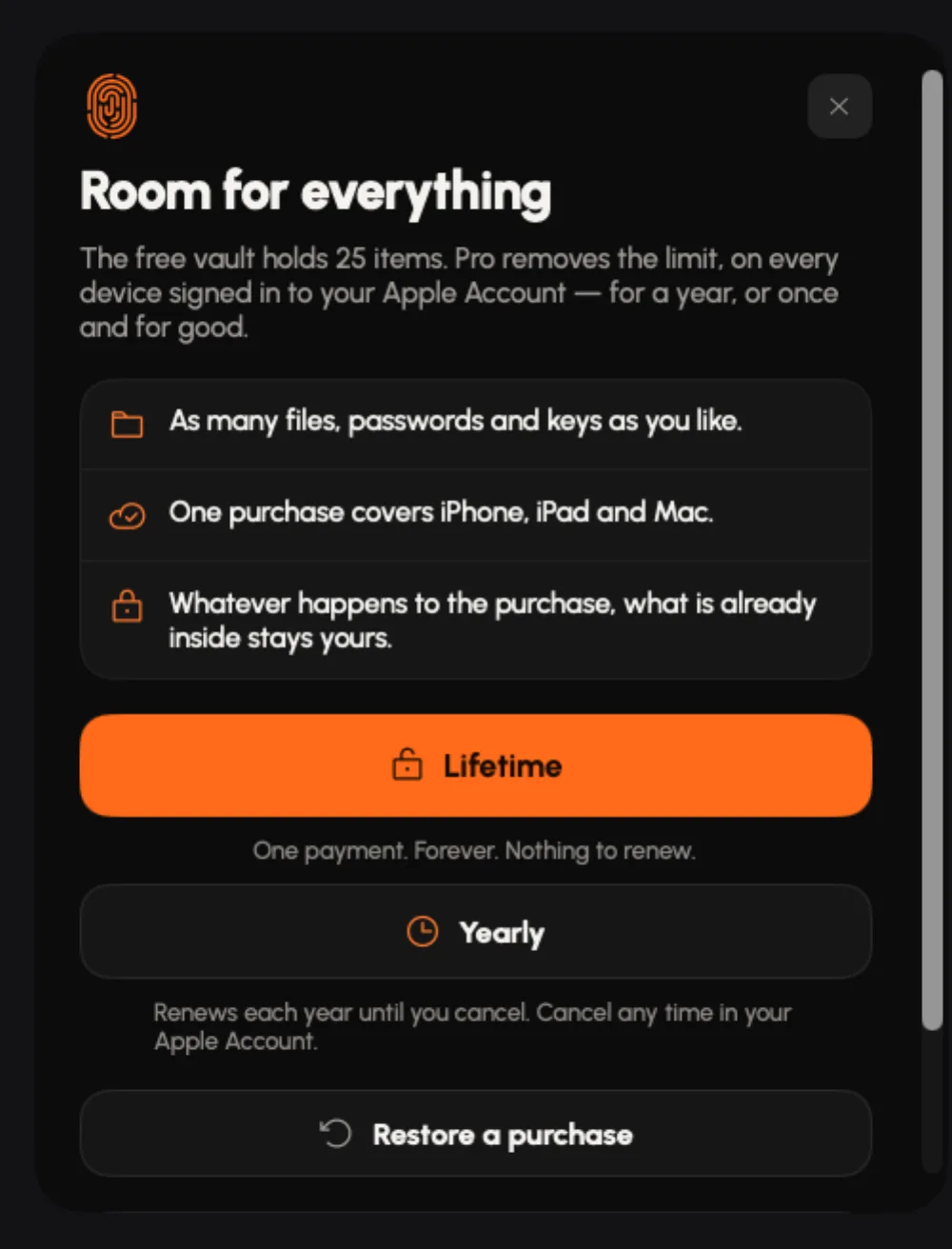
The free vault holds 25 items with every feature on — encryption, biometrics, iCloud, recovery key, folders, viewer, menu bar. Nothing is behind the wall except how much fits.
Click Lock Pro — Lifetime
Lifts the 25 item limit, once and for good. No renewal, nothing to lapse. iPhone, iPad and Mac on one purchase.
Click Lock Pro — Yearly
The same unlock, renewing until you cancel — for whoever would rather not pay a lifetime's price to find out.
The limit never touches what is already inside. If a purchase fails, lapses or is refunded, every item still opens, exports and moves. A vault that takes your things away when a payment does not go through is not a vault.
Private by construction
There is no us to send anything to.
No account, no sign-up, no email. The only request the app ever makes is to a website you name, when you tap to fetch its icon.
Items are encrypted with AES-256-GCM. Each item has its own key, wrapped with the vault's master key, which is itself wrapped with a key derived from your password. The full detail is in the privacy policy.
Requirements
iOS 17 or later. macOS 14 or later.
iPhone, iPad and Mac, one universal purchase across all three. Without iCloud Drive it works the same, on one device.